

Free TierHive Vint Hill Alpine VPS Share!

Friendly Greetings!
Like so many of you, I am getting started on TierHive!
Disclosure
TierHive gave me a few extra free tokens.
Offer
It might be fun to try installing something really small, like NetBSD or Oasis Linux or Sabotage Linux, on a VPS at TierHive, but it seemed best, for a first attempt, to try a very commonly used distro. I love Debian and Alpine, so here we are, with Alpine, though I still feel on track for at least one additional TierHive VPS running a crazy small distro.
This VPS will probably stick around for a few months, maybe longer, maybe shorter. I hope to keep it updated, but probably won't install many services. Therefore, if somebody wants to share this VPS with me, for free, that's great! I am looking for someone well known, who wants to help me learn something via discussion in this thread.
What might it look like to get started on TierHive?
Simple and easy! Even a clueless™ guy can do it! Just make a TierHive account, log in, updatre the VPS creation dialog, and go. Here's the view from Chrome browser with Dark Reader:
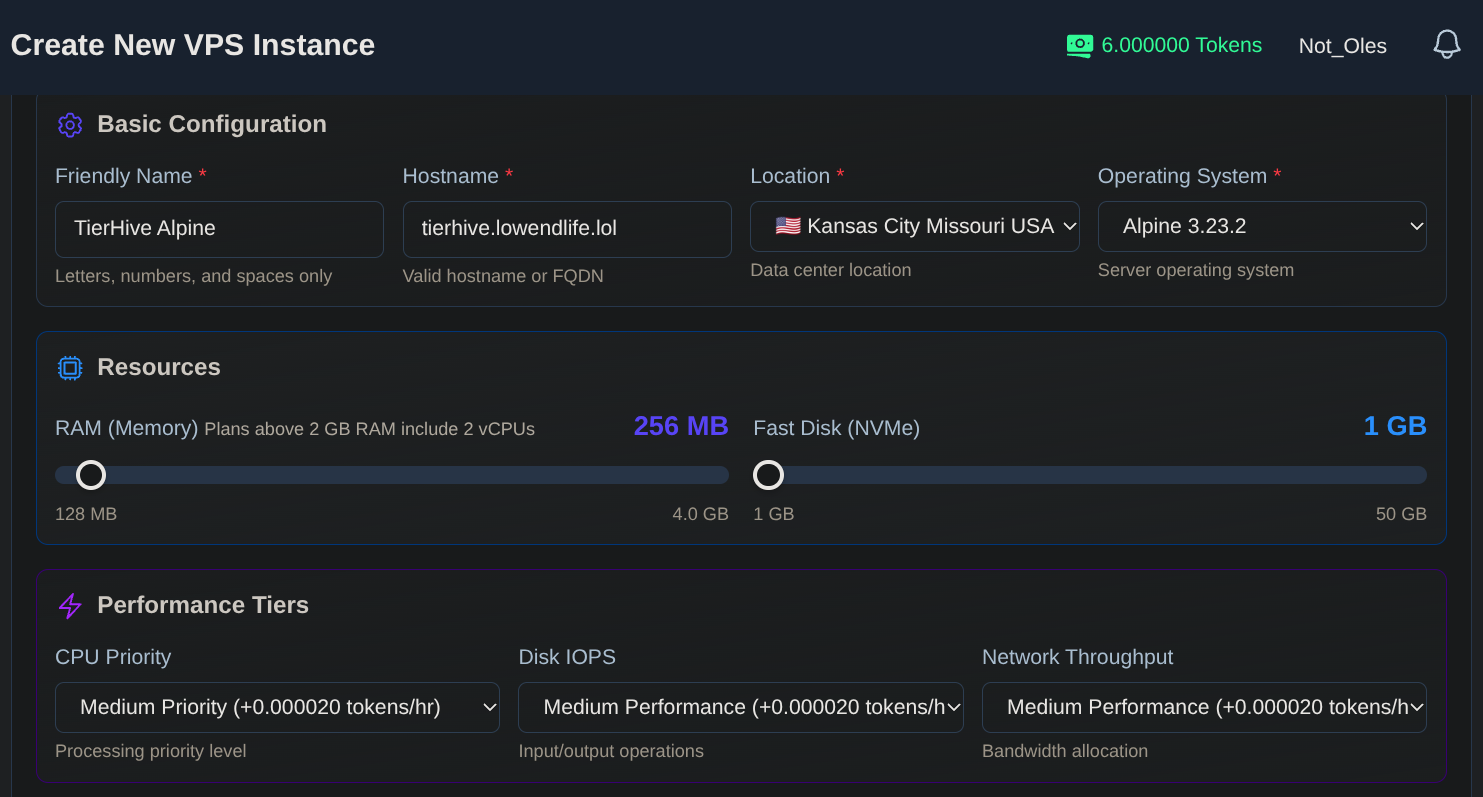
Scrolling down, I added ssh keys. On the network tab I added an IPv6 allocation for Kansas City. Then I clicked to create the VPS.
Oops! TierHive seems to be very successful getting clients! 
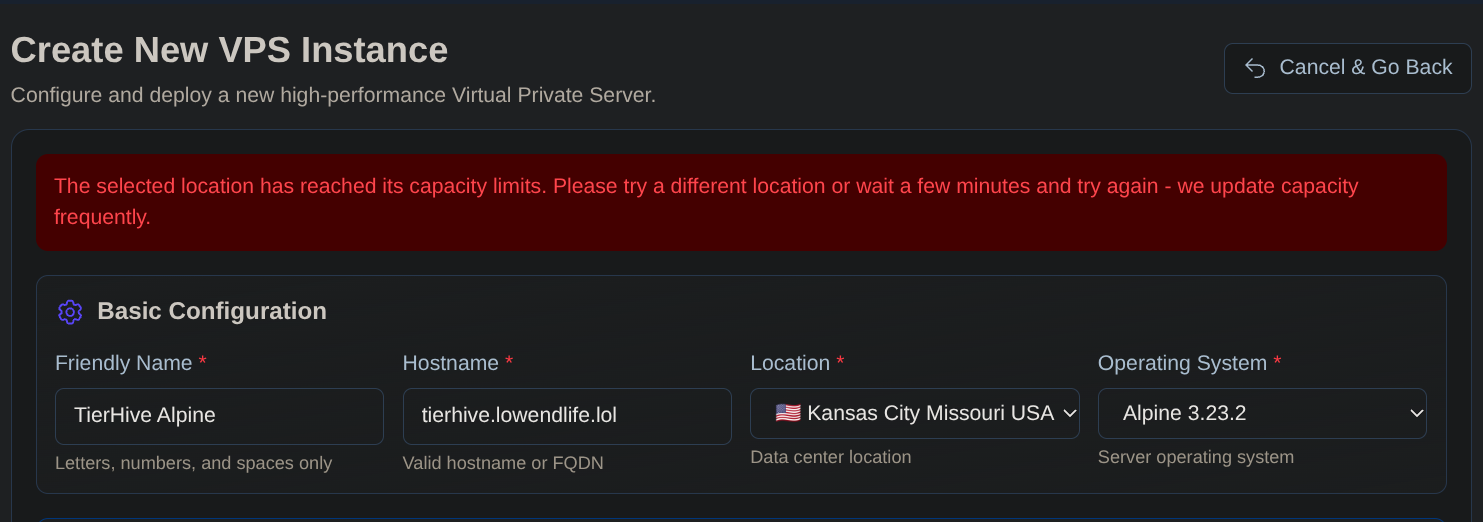
So I reset the creation dialog to Vint Hill. I also wiped the no longer needed Kansas City IPv6 allocation and allocated IPv6 at Vint Hill.
Bang! In a few seconds, I was in!
tierhive:~$ uname -a
Linux tierhive.lowendlife.lol 6.18.26-0-virt #1-Alpine SMP PREEMPT_DYNAMIC 2026-04-30 10:50:31 x86_64 Linux
tierhive:~$ cat /etc/os-release
NAME="Alpine Linux"
ID=alpine
VERSION_ID=3.23.4
PRETTY_NAME="Alpine Linux v3.23"
HOME_URL="https://alpinelinux.org/"
BUG_REPORT_URL="https://gitlab.alpinelinux.org/alpine/aports/-/issues"
tierhive:~$ doas apk update
v3.23.4-124-g11978fd1db5 [https://dl-cdn.alpinelinux.org/alpine/v3.23/main]
v3.23.4-123-g51f05d22f38 [https://dl-cdn.alpinelinux.org/alpine/v3.23/community]
OK: 27578 distinct packages available
tierhive:~$ doas apk upgrade
OK: 147.8 MiB in 222 packages
tierhive:~$ date -u
Sat May  2 20:24:05 UTC 2026
tierhive:~$
Question
Who wants to join me on this VPS and help me learn something via discussion in this thread?
Comments
Please don't shit all over the place.
"It's a hard life- to be a stick insect." - Karl Pilkington
what you want to deploy on this micro vps? something AI on a micro vps would be interesting
I might try Tinyproxy, which I have used previously and really like because of its capability to log seemingly everything. In addition to quickly accessing the site I want, Tinyproxy shows me what conceivably might be everything else my computer sends to other sites during the process.
For AI, maybe someone could run llm?
I hope to make another TierHive VPS running something like NetBSD or Oasis Linux or Sabotage Linux, as mentioned above. Or maybe Nordier's v7 port? Or something else. Or, haha, all of them, one by one.
This VPS share remains available to someone who wants to teach me something white hat and fun. Who knows what that might be!?
Thanks to TierHIve for the free tokens!
No worries if not one uses it you can always practice clustering or just generate vouchers and give them away
TierHive - Hourly VPS - NAT Native - /24 per customer - DE, UK, SG, CA, USA x3, FR, AU, PL, NL
FREE tokens on sign up, try before you buy. | Join us on Reddit
sorry @Not_Oles i thought this was funny.
Getting NetBSD running on TierHive isn't as straightforward as I had hoped (when I tried). I had to fiddle with the VESA modes in the boot loader to get any display output (and, of course, you first have to write the NetBSD image to the disk and then manually configure it).
@cmeerw
In the Rescue System tab on my TierHive test VPS, I found:
Grml 2025.08
Netboot XYZ (requires DHCP server, which I think is available)
OpenBSD 7.8
RescaTuz 0.74
Super Gub 2 Disk
System Rescue CD 12.02
May I please ask what procedure you followed? Thanks!
Edit to add: Maybe you already answered my question: you wrote the install image to the disk and tweaked the VESA modes in the boot loader.
IIRC, I used netboot xyz (manually configuring the network interface as I didn't have DHCP enabled) to boot into a live Alpine Linux system which I only used to write the NetBSD image to the disk. Then boot from the disk (but I think you have to fiddle with the VESA mode), and then you can manually configure networking.
set net0/ip ip
set netmask 255.255.255.0
set net0/gateway gateway
set nameservers 1.1.1.1 8.8.8.8
ifup net0
chain https://boot.netboot.xyz
"It's a hard life- to be a stick insect." - Karl Pilkington