

Keyboard Master Race

Is there any keyboard you feel exceptionally comfortable with? What model is it?
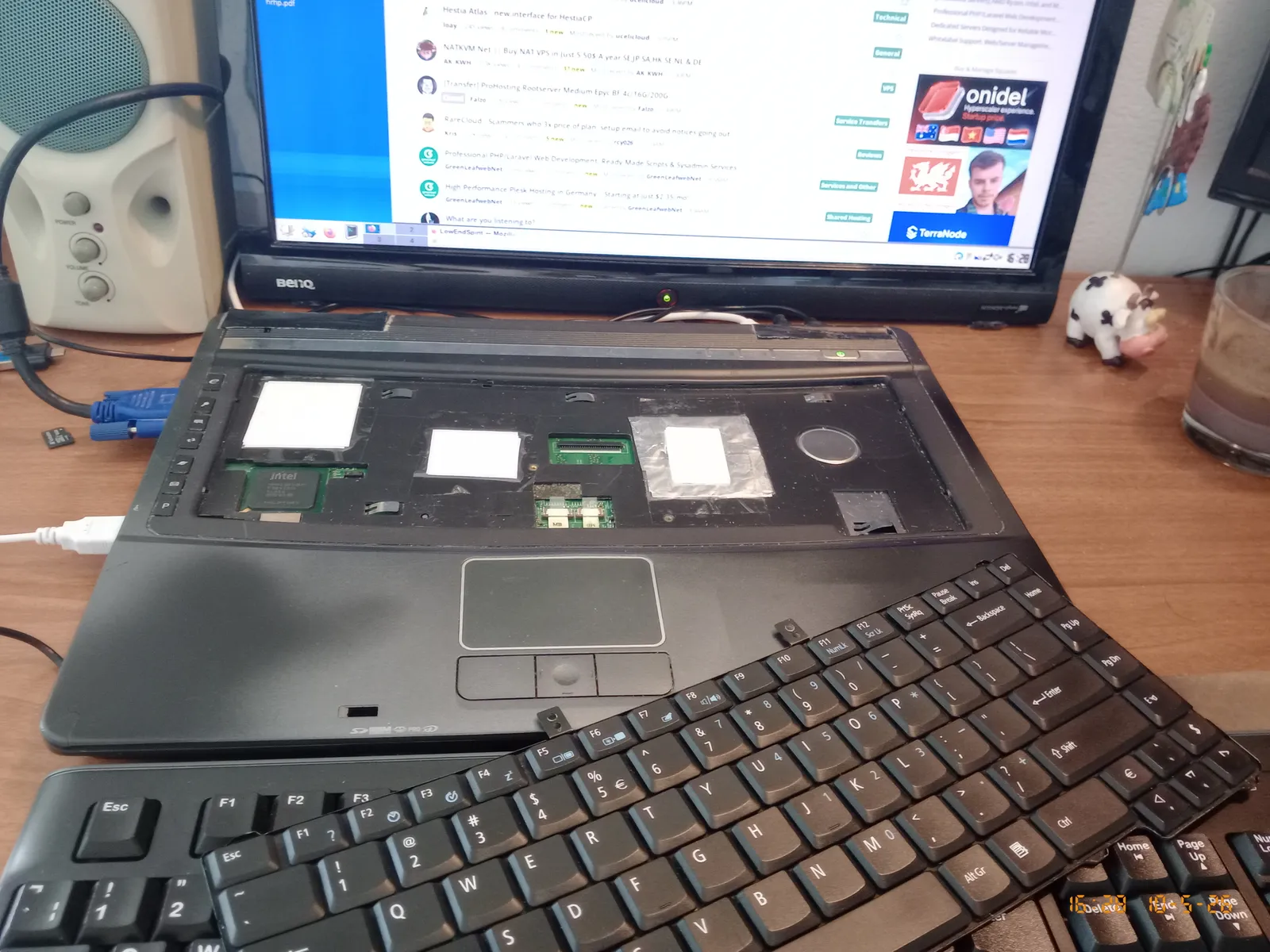
My laptop keyboard was extraordinarily comfy, 5° outward curvature, crisp key-press threshold, wrist rest warmed by the CPU (practical during EU cold-war winters)... but then it broke. So I got a replacement from AliExpress but it's a rubbish replica with mushy rubber domes with no clear feedback, and the keys are too hard to press. So I'm looking to buy something else. But what? Either a notebook or a standalone keyboard are fine, but I'm looking for something truly top notch so I imagine that only a notebook can have a top quality keyboard and fit within a normie's discretional spending allowance, because a quality standalone keyboard can cost more than my car.
Comments
Only mechanical switches. Test a few different ones, to find out which behaviour suits you best. For me it is brown ones, but this something very subjective.
I was born without the gene for mechanical keyboard, I've been using the Logitech kb in the pic above for two weeks as a temporary replacement, and I'm starting to have carpal tunnel syndrome which I never ever had before. My main issue with these kbs is the long key travel distance, which requires wider movements of the finger joints and more cumulative joules. They are also noisy since that extra typing energy bounces back into my eardrums...
AD: VPS Price Tracker
That keyboard doesn't neccessarily look like mechanical. If you still wanna try, I'd suggest red switches. Linear, only 40g pressure, silent(ish) :-)
I get like mechanical keyboards, when on sale, for about 20-40€, with shipping.
Right now I am hooked on Ducky Keyboards.
My last one was 22€, MX Blue
Free NAT KVM | Free NAT LXC
I remember the Amiga 1000 was dreamy to type on.
kind karma donations helps me keep my TPUG World of Commodore 2026 ad running one final month. t.
I use a Kinesis Advantage360 with Gateron Browns. Comfiest keyboard I've used in my life, I doubt I'll ever switch to anything else They are expensive, but absolutely worth it if you're typing for many hours every day.
https://kinesis-ergo.com/keyboards/advantage360/
Other places you can find me
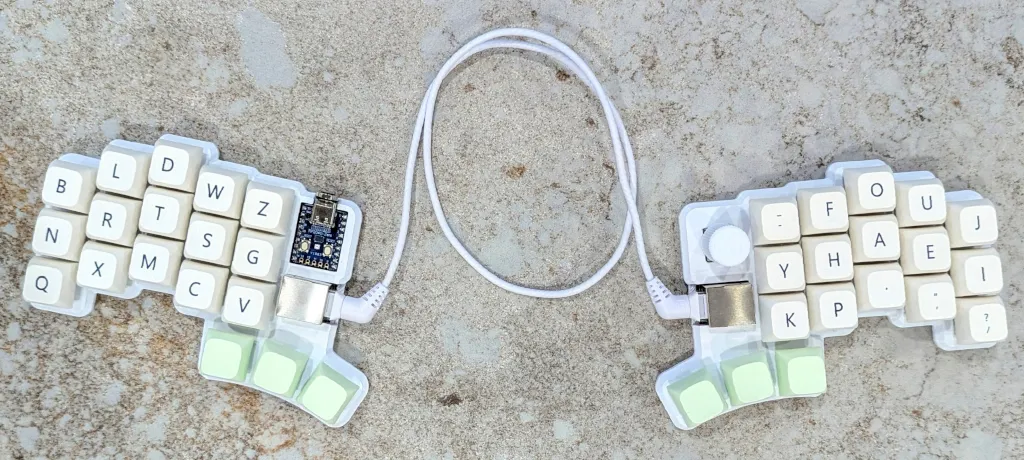
We have an ergodox with matias alps key switches for over a decade, then last year, switched to a cheapino.
Not ours:
DM us for private tracker invite.
Using this myself. Low-profile but mechanical switch.
https://www.keychron.com/products/keychron-k5-max-qmk-via-wireless-custom-mechanical-keyboard?variant=40778479632473
Hey teamacc. You're a dick. (c) Jon Biloh, 2020.
Don't ask me to explain why, all I can tell you is that I love typing on this. I haven't even used Windows in so long.
I used to use a Lily58 but switched to a Sofle now, with light linear switches. Also using a wacom tablet instead of a mouse. Very comfortable.
What model is this? The emacs M-x prefix (pressing
left alt+xconcurrently) wouldn't void the warranty of my wrist on this one. The spare Logitech that I'm using has convex key caps and slippery plastic, I slip off these keys 20% of the time:AD: VPS Price Tracker
It's the latest version of the Microsoft Surface Keyboard. I use either that, the Apple Magic Keyboard, or the Logitech MX Mechanical. I use them all depending on the task.
For me it has to be the dell sk-8135
I just got used to it around 2004/5 in the office, and it's all I have used since, I just replaced my first one I bought for home last year, I literally wore the letters off the first one after almost 20 years and the number pad got unpredictable, I expect to be using this new one (new old stock) one until around 2045 if I last that long.
TierHive - Hourly VPS - NAT Native - /24 per customer - DE, UK, SG, CA x2, USA x5, FR x3, AU, PL, NL, JP, BR, ZA
FREE tokens on sign up, try before you buy. | Static Hosting Free for life: https://tierhive.com/static-hosting/
This keyboard tells me Anthony doesn't Emacs :D
My people and our needs must be a niche within a niche in the current market offering, I never met anyone in person using Emacs so we are doomed to perish.
AD: VPS Price Tracker
I'm 50. Used wristwraps at 20-25 when model M's were my preciouss. Now I allowed myself to have a keychron Q11 (red switch) with a kensington orbit tucked in the middle both connected with a usb hub glued on a laptop stand with a second monitor at the side, that's the best setup to spend for my wrists and eyesight. Happy with all of them. The default layout of the Q11 enables me to use the laptop keyboard at everywere else without fuss.
I was not ready for a mechanical keyboard and accidentally settled on a Cherry Stream Keyboard, which I'm happy with. (There are other layouts without that particular Enter key shape.)
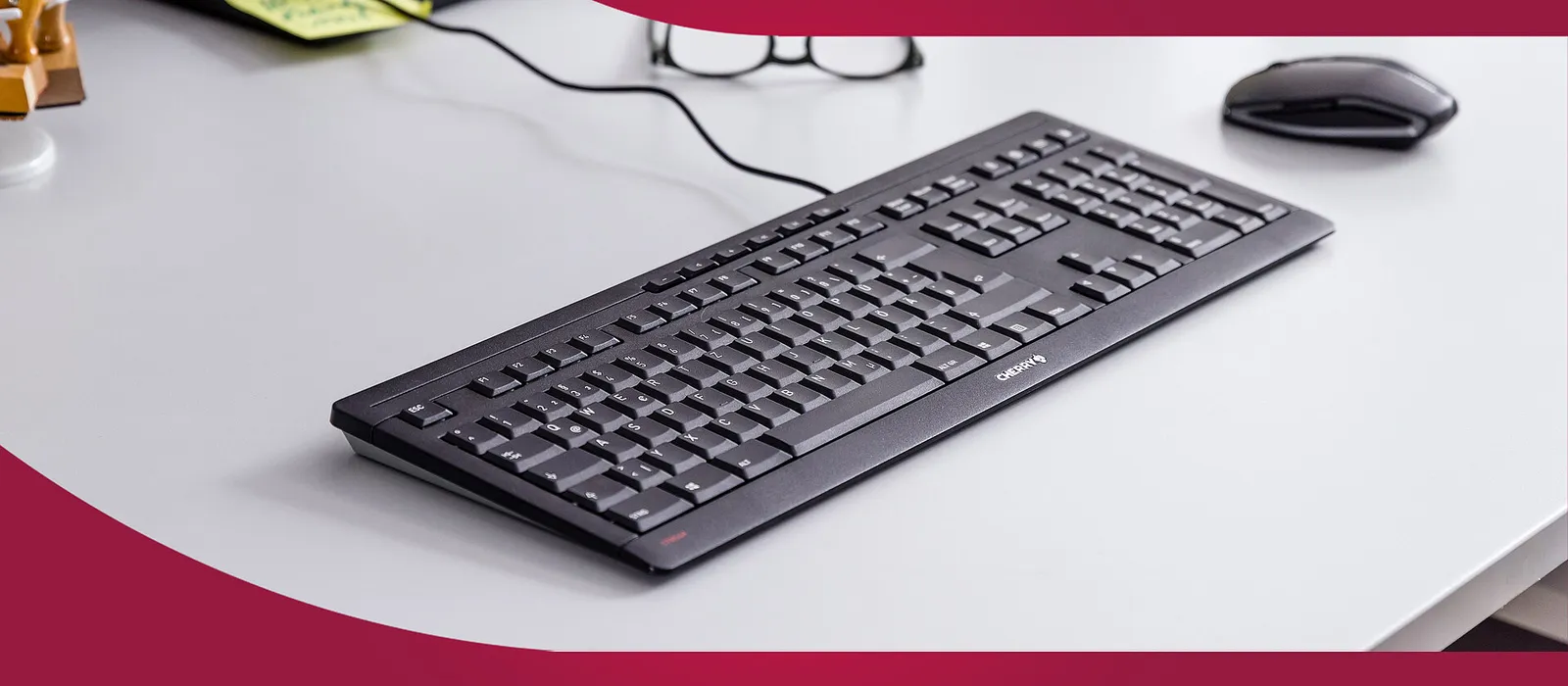
This is something I'm bookmarking, I would have dismissed the "perfect slip resistance" of the key caps if I didn't damn my current Logitech for being so slippery. Glad some designer heard me barking at the moon.
AD: VPS Price Tracker
It is practically impossible to find decent-quality keyboards (or at least key caps) with Serbocroatian (Croatian, Serbian, Bosnian - same thing) key layout markings and ISO layout.
So, I gave up and reverted to my 90s habit of using ENG-US keymap, ANSI keyboard layout, and typing my native without the special characters (typing "cuska" instead of "ćuška").
Switching keymaps does mess with your "muscle memory" and unfortunately I am still not 100% certain what the best thing to do is. Some software (like DaVinci Resolve Studio) has key shortcuts set to be practical and intuitive on a ENG-US keymap, but not on a SRP/CRO keymap. Then again, every now and then I need to type something "serious" in my native and then I need to switch to SRP regardless.
Additional complication is the used laptop market where I often get stuff from Germany with ISO keyboard layout and German (umlat?) key markings.
For extra irony, the very need for keymap switching is what messes up my muscle memory, especially for the special, less frequently used characters (like "^" and similar) so having accurate key markings is important.
This leads us to my favourite keyboard (since the time I bought it, not sure about quality and robustness they make nowadays): Keychron Q6 QMK. ):
):
This link should open the very model, layout and switch type (blue mechanical, I write a lot and game less and less
https://www.keychron.com/products/keychron-q6-qmk-custom-mechanical-keyboard?variant=39990023323737
The turning knob is quite practical. It can be configured to do different stuff, but the default setting and what I use it for is volume control by turning it (pressing it can do mute/unmute). It is not a must have, but it's pretty neat.
Keycaps are not letting the light go through them, but are made of that harder plastic that feels more like the good (very, very) old keyboards.
Now, I fully understand that layout stuff is a top-tier first world problem, but it adds up and does get a bit annoying. Stuck between "the east" and "west" in both physical, geopolitical, ideological and philosophical terms.
🔧 BikeGremlin guides & resources
cherry solid german engineering!
@bikegremlin: the laptop in my opening post uses ANSI with US mapping, it replaces the cluster of Italian diacritic keys with the several punctuation symbols that are more useful to me, yet typing correct Italian remains practical: the most frequent Italian diacritic is the grave accent, which is ~95% of the diacritics frequency distribution for Italian text, the remaining ~5% is the acute accent, and no other diacritics are typically used outside of specialized contexts. This results in the IT layout having 5 diacritic keys:
àè éìòù. To type these on a US ANSI, I customized the~/.Xmodmapfile to mapalt gr+atoà, and ditto for the other vowels. With this mapping, the acuteéiscompose+e+', which is three discrete key-presses, while the standard IT layout requiresshift+è é. A software mapping of this kind may come in handy for Serbian if diacritics are not too frequent.~/.Xmodmap:The compose sequence is unmodified from Debian:
/usr/share/X11/locale/en_US.UTF-8/Compose:AD: VPS Price Tracker
This is the one I use the most as well....
I've blamed myself for buying a MacBook with a 13" screen for 5 years now .... The times when I can't use an external screen and kayboard / mouse ... I suffer in silence.
Meet Nix and Bruce @ https://twobirdsonelesbox.com
My project/stuff page @ https://serveraddict.net
>mfw people using fancy setup
>kind of missing the K120 feel when typing on my new ThinkPad
_Plašim se da se te naše kvačice koriste prečesto u redovnom pisanju da bi korištenje alt tastera bilo praktično rešenje.
_
Translated:
I'm afraid that those hooks of ours are used too often for normal writing to make the use of the alt key be a practical solution.
🔧 BikeGremlin guides & resources
I hope that you put the old keyboard back on since it's used to dissipate the heat.
And I, for one, welcome our new insect overlords.
Too hot already!
🔧 BikeGremlin guides & resources
It's still on my old laptop, which normally operate on 120°F. When it was new, it's usable even when the CPU is >212°F.
Is this a membrane keyboard? It says scissor mechanism which I know is used in membrane keyboards with rubber domes, which I prefer to sliding switches. If so, it would be the closest match to what I'm looking for, which is:
but if I really was in paradise, I'd ask for all of the above, plus:
but I know I might rather send a letter to Santa for this one.
AD: VPS Price Tracker
It's probably membrane, when I compared it to some other ordinary membrane keyboards.
I fell in a 10" trap years ago, it was a tiny Intel Atom netbook that made typing a torture, you needed to hold
fnto issuepage-uporpage-down.Right now I'm window-shopping for this Toshiba, it has a 13" display but the keyboard seems wide enough, stretching from coast to coast, and has proper key positions and alignment for Emacs. I'll have to buy a US ANSI keyboard for it but seems a good candidate. If I'll get my hands on this one, I'll pop off the display and use external monitors, only buying it for the keyboard.
AD: VPS Price Tracker
Anyone here use colemak or its derivatives?
DM us for private tracker invite.
I've been eyeing the new MacBook M5 for work, but the prices are insane right now. I could buy a used car for the same amount.
I'll probably stick with the M1 that I have, I'm used to the keyboard, but to toggle between windows is a pain.
Guess its a reason to work on one thing at a time, instead of jumping between tasks.
Meet Nix and Bruce @ https://twobirdsonelesbox.com
My project/stuff page @ https://serveraddict.net