

Installing OpenBSD on a KVM VPS via ipxe/VNC console, no template required. (128mb ram, 1GB Disk)
 AnthonySmith
AdministratorProviderOG
AnthonySmith
AdministratorProviderOG 





Ok, I know, I said last time I would not do any more for a while, but a few things that were said in response to the other ones got me thinking more down the OpenBSD route.
So again, armed with a 128mb TierHive VPS with 1GB disk, I got to work.
This should work on any host that provides an HTML5 VNC console in theory, as long as they have enabled the ability for you to drop into boot options, I think that's pretty standard now?
It's really going to help if your host also supports a clipboard for the html5 console, but not the end of the world if not.
First off, just install any OS to get the VPS set up with the package and specs you want, let it finish setup, I just used the Alpine template as its the only one that allows 128mb and 1GB disk, its a good idea to let this fully finish if you are on other hosts, I know from experience not everyone sets the default disk drivers etc until you actually install an os and you dont wantto be using the ide driver (solusvm)
Then get ready to catch the reboot aand start pressing escape in the html5 vnc console:
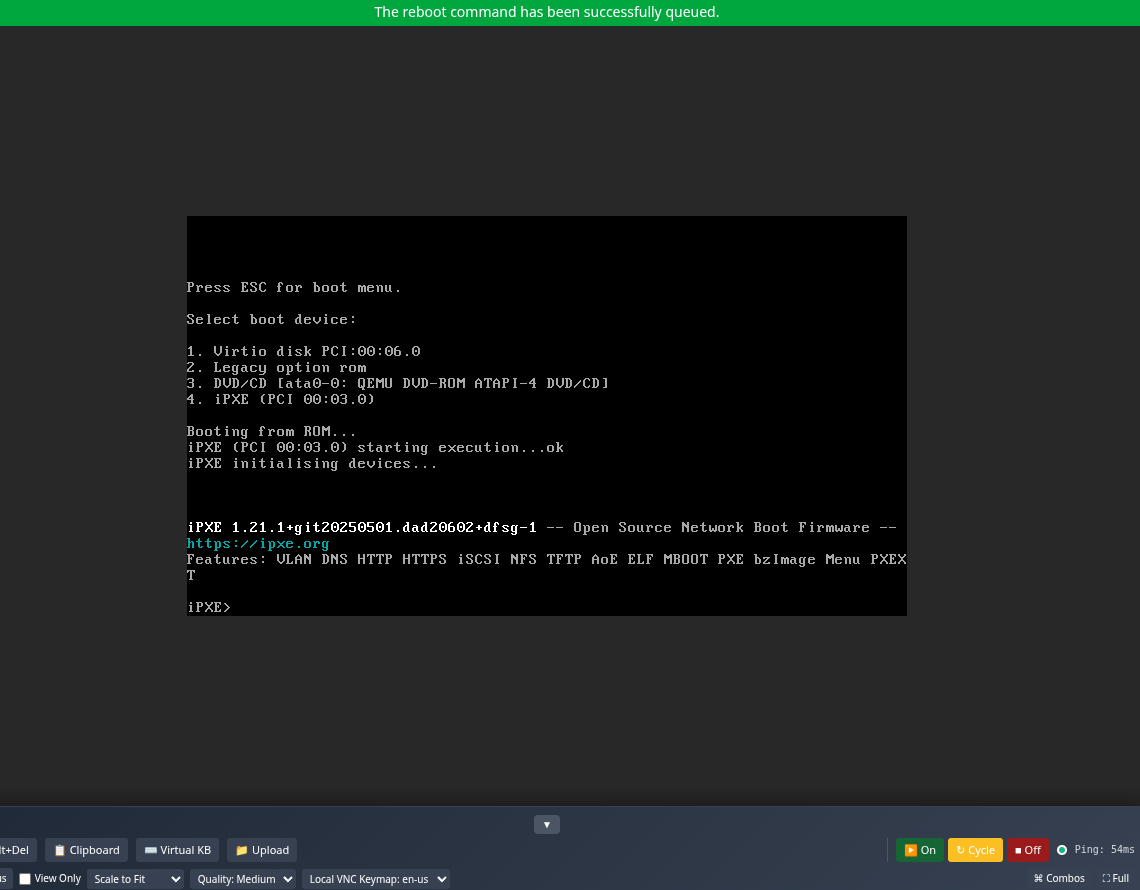
You will need to catch the ctrl+b option to drop you into the IPXE shell, like the above image shows, if you have DHCP enabled, just type dhcp and press enter; otherwise, you will need to configure your network at this stage, for example:
set net0/ip 192.168.1.123
set net0/netmask 255.255.255.0
set net0/gateway 192.168.1.1
set dns 8.8.8.8
ifopen net0
The ipxe shell should now have internet access, so we can pull the cd78.iso
sanboot http://cdn.openbsd.org/pub/OpenBSD/7.8/amd64/cd78.iso
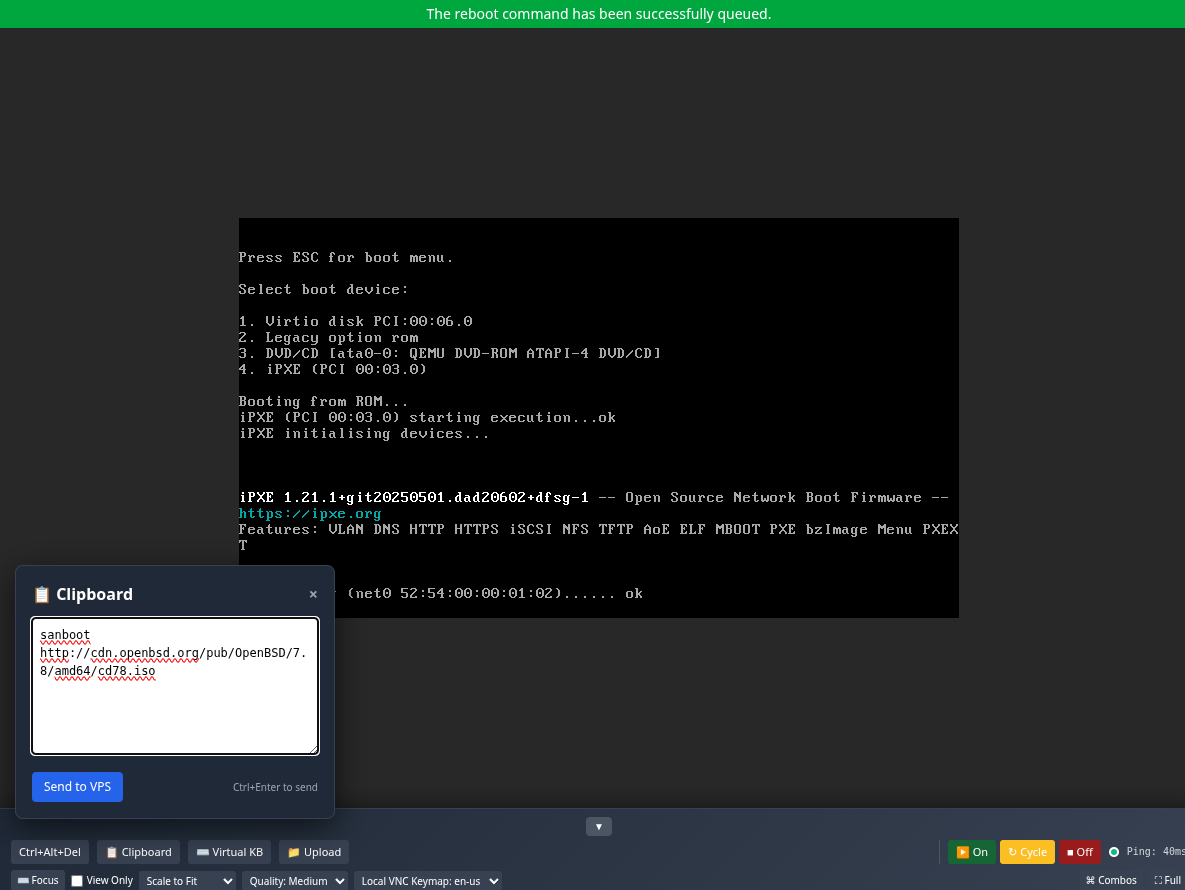
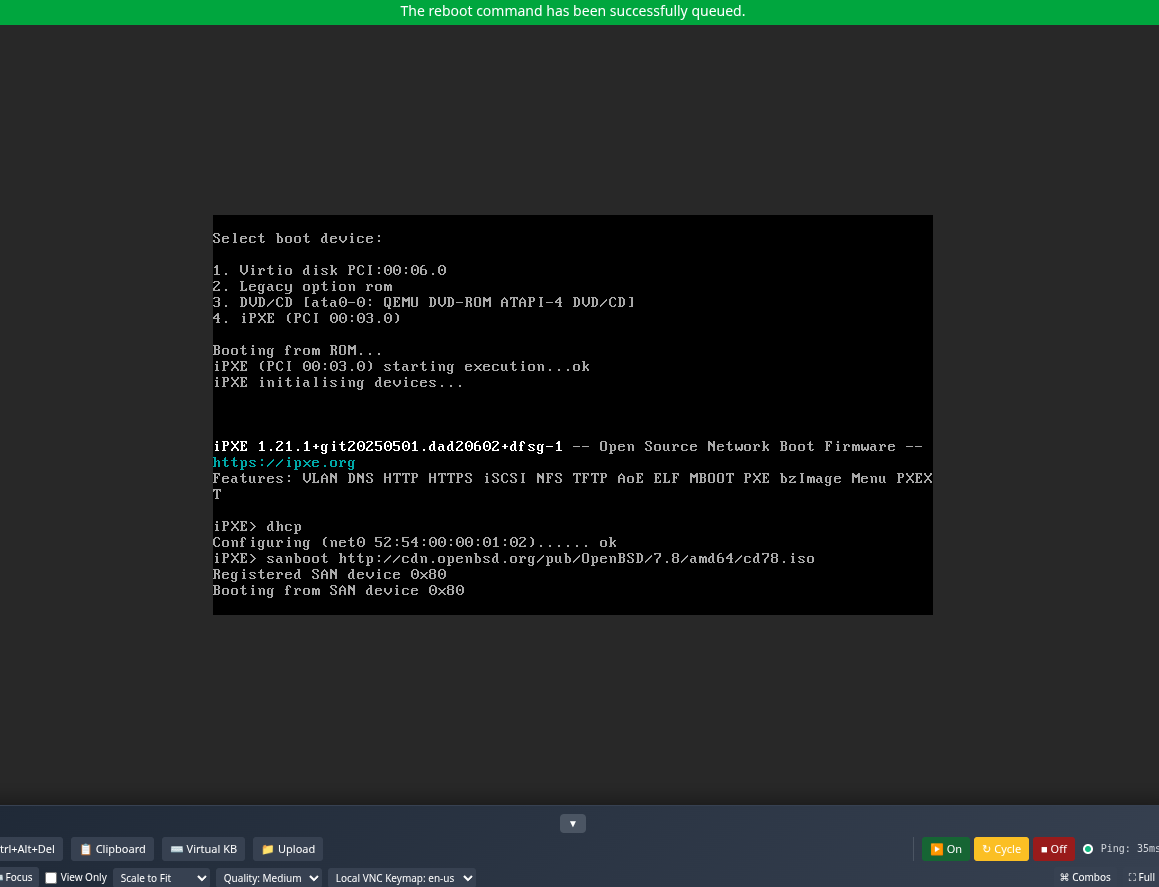
Let that run for a bit, if you dont have dhcp you will need to enter the network details again otherise dhcp will sort that out for you, and you will eventually get to the install options:
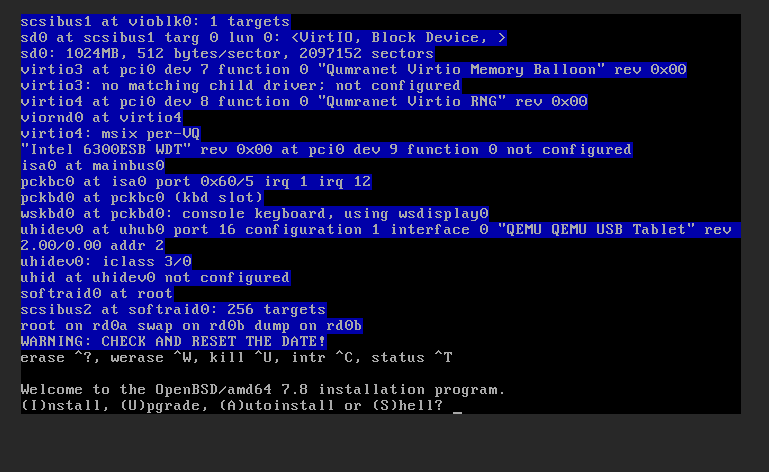
Now select (I)nstall and run through the obvious options for ssh, user password etc, in most cases the defaults are fine but I will assume you have some clue about them if you are even attempting this, I used an auto disk layout for speed.
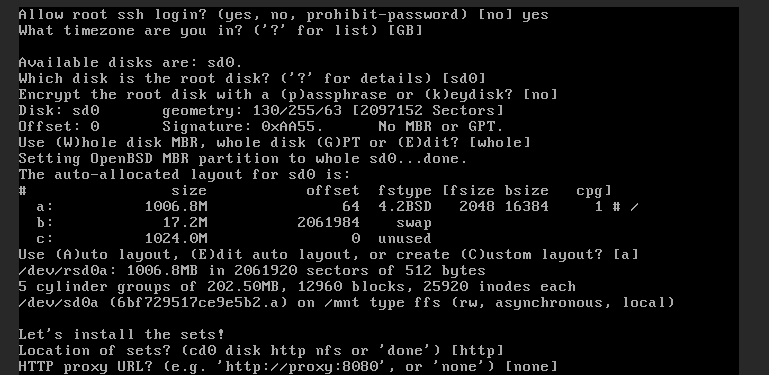
Select [http] (also the default) for sets.
And when it prompts for an HTTP Server, use cdn.openbsd.org
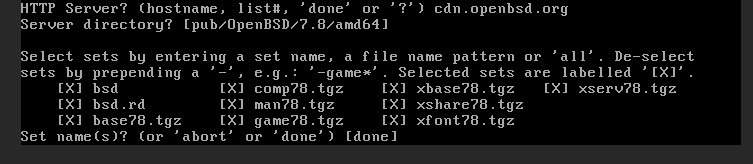
Select the sets for a minimal install, deselect everything that is not needed:
-comp78.tgz -man78.tgz -game78.tgz -xbase78.tgz -xserv78.tgz -xshare78.tgz -xfont78.tgz -bsd.rd
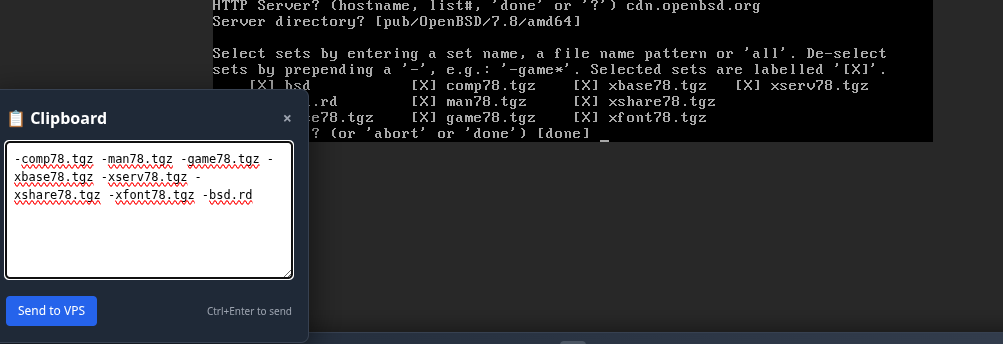
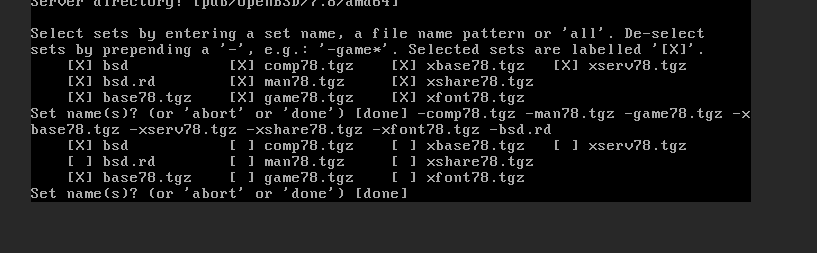
You will see a prompt about the prefetch area; the default is no, type yes

Now its going to pull the sets and then ask you if you want any more sets, the default [done] option is fine.
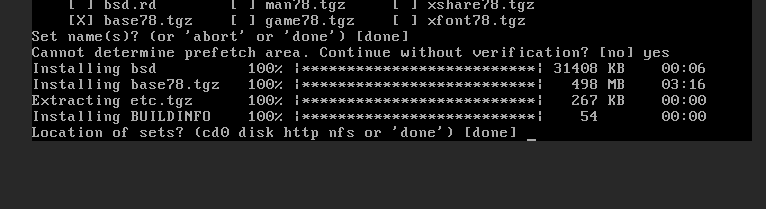
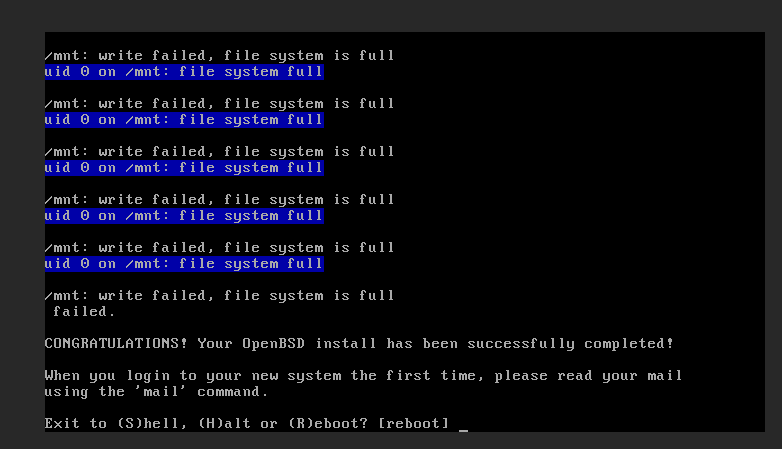
The install will finish up, you will see a load of warnings about /mnt file system is full, it's fine, just run syspatch after first boot a few times, you can now reboot, and enjoy 
Welcome to OpenBSD: The proactively secure Unix-like operating system.

Please use the sendbug(1) utility to report bugs in the system.
Before reporting a bug, please try to reproduce it with the latest
version of the code.  With bug reports, please try to ensure that
enough information to reproduce the problem is enclosed, and if a
known fix for it exists, include that as well.

testbsd# syspatch
Get/Verify syspatch78-001_syspatc... 100% |***************************************************************************************************|  8538       00:00
Installing patch 001_syspatch
syspatch: updated itself, run it again to install missing patches
testbsd# syspatch
Get/Verify syspatch78-003_unbound... 100% |***************************************************************************************************|  2952 KB    00:00
Installing patch 003_unbound
Get/Verify syspatch78-004_libssl.tgz 100% |***************************************************************************************************|  2553 KB    00:00
Installing patch 004_libssl
Get/Verify syspatch78-005_smtpd.tgz 100% |****************************************************************************************************|   218 KB    00:00
Installing patch 005_smtpd
Get/Verify syspatch78-006_libunwi... 100% |***************************************************************************************************|  1669 KB    00:00
Installing patch 006_libunwind
Get/Verify syspatch78-010_unbound... 100% |***************************************************************************************************|  2953 KB    00:00
Installing patch 010_unbound
Get/Verify syspatch78-012_rpki.tgz 100% |*****************************************************************************************************|   141 KB    00:00
Installing patch 012_rpki
Get/Verify syspatch78-013_httpd.tgz 100% |****************************************************************************************************| 79409       00:00
Installing patch 013_httpd
Get/Verify syspatch78-014_expat.tgz 100% |****************************************************************************************************|   685 KB    00:00
Installing patch 014_expat
Get/Verify syspatch78-015_tmppath... 100% |***************************************************************************************************|  1135 KB    00:00
Installing patch 015_tmppath
Get/Verify syspatch78-017_tmppath... 100% |***************************************************************************************************| 79182       00:00
Installing patch 017_tmppath
Get/Verify syspatch78-021_calenda... 100% |***************************************************************************************************| 14278       00:00
Installing patch 021_calendar
Get/Verify syspatch78-023_calenda... 100% |***************************************************************************************************| 14646       00:00
Installing patch 023_calendar
Get/Verify syspatch78-024_expat.tgz 100% |****************************************************************************************************|   683 KB    00:00
Installing patch 024_expat
Get/Verify syspatch78-026_smtpd.tgz 100% |****************************************************************************************************|   310 KB    00:00
Installing patch 026_smtpd
Errata can be reviewed under /var/syspatch
Fresh install, nothing changed yet.
Memory: Real: 21M/88M act/tot Free: 3936K Cache: 13M Swap: 3272K/17M
Filesystem     Size    Used   Avail Capacity  Mounted on
/dev/sd0a      975M    634M    292M    69%    /
USER       PID %CPU %MEM   VSZ   RSS TT  STAT   STARTED       TIME COMMAND
root         1  0.0  0.3   944   376 ??  I       2:03PM    0:00.01 /sbin/init
root     25349  0.0  0.0  1108    24 ??  Ip      2:03PM    0:00.01 /sbin/slaacd
_slaacd  29575  0.0  0.1  1116   112 ??  Ip      2:03PM    0:00.01 slaacd: engi
_slaacd  82864  0.0  0.1  1112    96 ??  IpU     2:03PM    0:00.02 slaacd: fron
root     99250  0.0  0.0  1120    24 ??  IU      2:03PM    0:00.00 /sbin/dhcple
_dhcp    56878  0.0  0.5  1132   596 ??  Ip      2:03PM    0:00.01 dhcpleased:
_dhcp    40899  0.0  0.6  1140   688 ??  IpU     2:03PM    0:00.01 dhcpleased:
root     33511  0.0  0.0   832    24 ??  IpU     2:03PM    0:00.01 /sbin/resolvd
root     18053  0.0  1.6  1048  1836 ??  IpU     2:04PM    0:00.01 syslogd: [pr
_syslogd 75114  0.0  1.4  1492  1632 ??  Spc     2:04PM    0:00.04 /usr/sbin/sy
root     13046  0.0  0.7   976   760 ??  IU      2:04PM    0:00.00 pflogd: [pri
_pflogd  85025  0.0  0.8  1016   904 ??  Ipc     2:04PM    0:00.00 pflogd: [run
_ntp     68896  0.0  2.0  1176  2324 ??  S<pc    2:04PM    0:00.16 ntpd: ntp en
_ntp     79900  0.0  1.6  1128  1856 ??  Ip      2:04PM    0:00.01 ntpd: dns en
root     89475  0.0  1.5  1756  1676 ??  I<pU    2:04PM    0:00.01 /usr/sbin/nt
root      4509  0.1  2.5  1100  2848 ??  S       2:04PM    0:00.07 sshd: /usr/s
root      3013  0.0  1.6  1816  1864 ??  Ip      2:04PM    0:00.01 /usr/sbin/sm
_smtpd   85973  0.0  2.0  1552  2240 ??  Ipc     2:04PM    0:00.00 smtpd: crypt
_smtpd   42320  0.0  2.2  1876  2516 ??  Ipc     2:04PM    0:00.01 smtpd: contr
_smtpd   39534  0.0  2.6  1652  2952 ??  Ip      2:04PM    0:00.01 smtpd: looku
_smtpd   39115  0.0  4.1  2384  4680 ??  Ipc     2:04PM    0:00.01 smtpd: dispa
_smtpq   64001  0.0  2.9  1776  3296 ??  Ipc     2:04PM    0:00.01 smtpd: queue
_smtpd   12214  0.0  2.8  1556  3164 ??  Ipc     2:04PM    0:00.01 smtpd: sched
_sndiop  81722  0.0  0.8  9060   932 ??  IpU     2:04PM    0:00.00 sndiod: help
_sndio   52312  0.0  0.7  9060   828 ??  I<pc    2:04PM    0:00.00 /usr/bin/snd
root     45289  0.0  1.2  1136  1400 ??  Ip      2:05PM    0:00.01 /usr/sbin/cr
Services enabled at boot:
check_quotas
cron
dhcpleased
library_aslr
ntpd
pf
pflogd
resolvd
slaacd
smtpd
sndiod
sshd
syslogd
I am sure someone that is more of a regular BSD user will probably know a few things that could improve this. I encourage you to comment.
And.... you can probably guess what is coming next....
AI Declaration: There was no AI involved in this; the work is my own. I did not even bother using it for formatting, as this was a speed run; you can just live with my shitty English spelling and grammar
Enjoy!
TierHive - Hourly VPS - NAT Native - /24 per customer - DE, UK, SG, CA, USA x4, FR x2, AU, PL, NL, JP
FREE tokens on sign up, try before you buy. | Static Hosting Free for life: https://tierhive.com/static-hosting/
Comments
Spoiler:
TierHive - Hourly VPS - NAT Native - /24 per customer - DE, UK, SG, CA, USA x4, FR x2, AU, PL, NL, JP
FREE tokens on sign up, try before you buy. | Static Hosting Free for life: https://tierhive.com/static-hosting/
You can disable most of those daemons. I would also suggest installing a stripped-down kernel.
And I, for one, welcome our new insect overlords.
I put a link to this post HN, in Show HN:
Pointed it back here, maybe get some new blood in the community.
TierHive - Hourly VPS - NAT Native - /24 per customer - DE, UK, SG, CA, USA x4, FR x2, AU, PL, NL, JP
FREE tokens on sign up, try before you buy. | Static Hosting Free for life: https://tierhive.com/static-hosting/
Did Christmas come early?! These guides are just fantastic!
We are glad to see IPv6 remains enabled.
The last flan is taken. 🍮 affbrr
Very nice!
There are some shortcuts with deselecting sets. You can do
-x*, for instance, to remove anything x related.Now there are some limitations like this. You certainly lose some security aspects of multiple partitions and kernel relinking will fail (768MB is about the smallest that it seems to work without swap, out of the box anyway.) I think kernel relinking is required for kernel syspatching to be effective. But for many, this is fine and a cheap way to get going.
Speaking of ipxe, https://netboot.xyz is definitely worth a look!
Slow Servers VPSs hosted on OpenBSD's VMM on secondhand, low power hardware in Spokane, WA, USA. Cryptocurrency accepted, optionally no KYC.
I prefer
rm -rf /*to remove thingsBig shout out to @AnthonySmith and TierHive! It is always so nice to see providers who give love to BSDs I was kicking a lot of their tires on BSDs when TierHive was starting up and every bit of feedback was well received and the service has been running great. Excellent job!
Thanks, working on a better templating system (along with 200 other things) bsd is a focus.
TierHive - Hourly VPS - NAT Native - /24 per customer - DE, UK, SG, CA, USA x4, FR x2, AU, PL, NL, JP
FREE tokens on sign up, try before you buy. | Static Hosting Free for life: https://tierhive.com/static-hosting/