@emperor said:
Anyone knows which hosts have openBSD templates ? I dont remember if linveo had them.. Need to test something really quick
It's trivial to chain to a ramdisk installer, or you can just dd the image over an existing virtual disk and boot /bsd.rd and overwrite the disk out from under you.
"It's a hard life- to be a stick insect." - Karl Pilkington
@emperor said:
Anyone knows which hosts have openBSD templates ? I dont remember if linveo had them.. Need to test something really quick
It's trivial to chain to a ramdisk installer, or you can just dd the image over an existing virtual disk and boot /bsd.rd and overwrite the disk out from under you.
I though template install would have been faster, for quick testing and destroy/install again Thanks tho
There's one more thing. OpenBSD is not best suited to be installed on one big partition. It usually encourages users (with default layout in the installer) to create multiple separate partitions. This is also due to security reasons as explained here:
First of all there is a security benefit. Different partitions mean you can set different mount options for the partitions. Best example is that by default the partition /usr/local is mounted with the flag wxallowed. Only executables residing on this partition are able to circumvent the W^X mechanism of OpenBSD. Another good example is that all but the root partition are mounted with the flag nodev which prevents the creation of device special files on these partitions. Having different partitions can also make your life easier during the regular backup you take. It allows you to completely ignore those partitions that don’t belong into a backup. Like /tmp, /usr/src and /usr/obj.
I can imagine resizing those partitions to match each disk size customer picks could be a bit of a difficult.
@emperor said:
Anyone knows which hosts have openBSD templates ? I dont remember if linveo had them.. Need to test something really quick
It's trivial to chain to a ramdisk installer, or you can just dd the image over an existing virtual disk and boot /bsd.rd and overwrite the disk out from under you.
I though template install would have been faster, for quick testing and destroy/install again Thanks tho
@oloke said: However the installation from the official CD is not too hard nowadays.
Thanks for explanations. I have used openBSD in the past with linveo, and also couple more providers here, i just needed to try and run 2 scripts (one python and one sh) to see if they work on openBSD and to fix them if they dont. So i wanted to just install from template and test , fix and forget. I did this on TierHive thanks to cmeerw to pointing out, as i have still credits left
Actually, updated that 11.0 RC4 image (@linveo) now to fix the postfix config issue in RC4. The image now also creates the swap partition on first boot (depending on system memory and disk space).
Actually, updated that 11.0 RC4 image (@linveo) now to fix the postfix config issue in RC4. The image now also creates the swap partition on first boot (depending on system memory and disk space).
Do you recall what the main.cf error was?
And after resize_ffs, I should do something else to make performance better?
Actually, updated that 11.0 RC4 image (@linveo) now to fix the postfix config issue in RC4. The image now also creates the swap partition on first boot (depending on system memory and disk space).
And after resize_ffs, I should do something else to make performance better?
resize_ffs doesn't grow the journal, so that's then smaller than it should be, and ideally you should recreate it. Unfortunately, that process is a bit complicated for the root file system. The general process is described in wapbl(4)
Actually, updated that 11.0 RC4 image (@linveo) now to fix the postfix config issue in RC4. The image now also creates the swap partition on first boot (depending on system memory and disk space).
I have added this RC4 as a template and it is available for use.
Actually, updated that 11.0 RC4 image (@linveo) now to fix the postfix config issue in RC4. The image now also creates the swap partition on first boot (depending on system memory and disk space).
I have added this RC4 as a template and it is available for use.
Thanks, just did a quick check, and it's working fine.
Okay, this will be interesting - we'd like to announce that on the next weeks, we will be expanding our support for more BSD systems on our OS lineup at C-Servers.
FreeBSD 15 will continue to exist but alongside it we'll also have NetBSD and OpenBSD, and on all address types - IPv4 NAT+IPv6, full IPv4 + IPv6, and IPv6-only. The final tests were done today and the images are entirely operational in UFS with the correspondent provisioning.
Stay tuned because that won't be the only pleasant surprise.
Hmm might have to have a play with the freebsd desktop next week
TierHive - Hourly VPS - NAT Native - /24 per customer - DE, UK, SG, CA, USA x4, FR x2, AU, PL, NL, JP FREE tokens on sign up, try before you buy. | Static Hosting Free for life: https://tierhive.com/static-hosting/
chronos@penguin:~/2026/netbsd$ `head -n 1 login`
Last login: Tue Jun 16 03:23:50 2026 from xxx.xxx.xxx.xxx
NetBSD 11.99.6 (GENERIC) #0: Mon Jun  8 00:37:30 UTC 2026

netbsd$ which nc
/usr/bin/nc
netbsd$ # -u for UDP, -l for listen
netbsd$ nc -u -l 4242
test
^C
netbsd$
What am I missing? Maybe @cmeerw is on a different subnet or in a different location than Texas?
Thanks, @linveo! Updating NetBSD source code and re-compiling right now!
chronos@penguin:~/2026/netbsd$ `head -n 1 login`
Last login: Tue Jun 16 03:23:50 2026 from xxx.xxx.xxx.xxx
NetBSD 11.99.6 (GENERIC) #0: Mon Jun  8 00:37:30 UTC 2026

netbsd$ which nc
/usr/bin/nc
netbsd$ # -u for UDP, -l for listen
netbsd$ nc -u -l 4242
test
^C
netbsd$
What am I missing? Maybe @cmeerw is on a different subnet or in a different location than Texas?
That's interesting, it actually seems to work from my home IP address (which I hadn't tried before), but not from any of my other VPSes (or the @Hosteroid NetBSD server) - wireguard is set up as a VPN between my VPSes.
BTW, has anything changed on the network side? It looks like UDP gets completely blocked now - which breaks any wireguard VPN access.
I have added this RC5 to the available templates. Our upstream provider was blocking UDP even after the DDoS event last week for one of the blocks. They have removed it earlier this week.
BTW, has anything changed on the network side? It looks like UDP gets completely blocked now - which breaks any wireguard VPN access.
I have added this RC5 to the available templates. Our upstream provider was blocking UDP even after the DDoS event last week for one of the blocks. They have removed it earlier this week.
Thanks, just did a quick test with the RC5 template, and it installs fine. Hopefully, we'll see the final 11.0 release shortly.
On the UDP issue, I am still seeing widespread blocking of incoming UDP packets:
62.240.153.x works
104.28.207.x works
95.131.202.x dropped
191.96.11.x dropped
80.78.132.x dropped
96.9.214.x dropped
143.47.187.x dropped
158.101.198.x dropped
162.254.84.x dropped
So looks like it gets routed via globalsecurelayer.com (from most networks) which drops UDP? E.g., a traceroute from https://www.hosteroid.uk/LGv2-new/ shows:
traceroute to 172.245.243.1 (172.245.243.1), 30 hops max, 60 byte packets
 1  _gateway (185.75.242.1)  0.454 ms  0.371 ms  0.365 ms
 2  et2.0.core.eqx-am5.royalehosting.net (45.137.207.44)  0.295 ms  0.270 ms  0.257 ms
 3  1.edge.core.dlr-ams5.royalehosting.net (109.234.75.1)  0.349 ms  0.374 ms  0.274 ms
 4  0.bb.core.drt-ams17.royalehosting.net (45.138.19.128)  0.829 ms 0.edge.core.drt-ams17.royalehosting.net (45.138.19.0)  0.859 ms 0.bb.core.drt-ams17.royalehosting.net (45.138.19.128)  0.735 ms
 5  1.edge.core.nkf-ams.royalehosting.net (217.119.132.5)  0.780 ms  0.756 ms  0.758 ms
 6  as137409.frys-ix.net (185.1.160.191)  0.833 ms  0.852 ms  0.793 ms
 7  goliath-volumetric-in.globalsecurelayer.com (206.148.27.228)  1.176 ms  1.069 ms  1.026 ms
 8  * * *
 9  * * *
10  * * *
11  * * *
12  * * *
13  * * *
14  * * *
15  * * *
16  * * *
17  * * *
18  * * *
19  * * *
20  * * *
21  * * *
22  * * *
23  * * *
24  * * *
25  * * *
26  * * *
27  * * *
28  * * *
29  * * *
30  * * *
BTW, has anything changed on the network side? It looks like UDP gets completely blocked now - which breaks any wireguard VPN access.
I have added this RC5 to the available templates. Our upstream provider was blocking UDP even after the DDoS event last week for one of the blocks. They have removed it earlier this week.
Thanks, just did a quick test with the RC5 template, and it installs fine. Hopefully, we'll see the final 11.0 release shortly.
On the UDP issue, I am still seeing widespread blocking of incoming UDP packets:
62.240.153.x works
104.28.207.x works
95.131.202.x dropped
191.96.11.x dropped
80.78.132.x dropped
96.9.214.x dropped
143.47.187.x dropped
158.101.198.x dropped
162.254.84.x dropped
So looks like it gets routed via globalsecurelayer.com (from most networks) which drops UDP? E.g., a traceroute from https://www.hosteroid.uk/LGv2-new/ shows:
traceroute to 172.245.243.1 (172.245.243.1), 30 hops max, 60 byte packets
 1  _gateway (185.75.242.1)  0.454 ms  0.371 ms  0.365 ms
 2  et2.0.core.eqx-am5.royalehosting.net (45.137.207.44)  0.295 ms  0.270 ms  0.257 ms
 3  1.edge.core.dlr-ams5.royalehosting.net (109.234.75.1)  0.349 ms  0.374 ms  0.274 ms
 4  0.bb.core.drt-ams17.royalehosting.net (45.138.19.128)  0.829 ms 0.edge.core.drt-ams17.royalehosting.net (45.138.19.0)  0.859 ms 0.bb.core.drt-ams17.royalehosting.net (45.138.19.128)  0.735 ms
 5  1.edge.core.nkf-ams.royalehosting.net (217.119.132.5)  0.780 ms  0.756 ms  0.758 ms
 6  as137409.frys-ix.net (185.1.160.191)  0.833 ms  0.852 ms  0.793 ms
 7  goliath-volumetric-in.globalsecurelayer.com (206.148.27.228)  1.176 ms  1.069 ms  1.026 ms
 8  * * *
 9  * * *
10  * * *
11  * * *
12  * * *
13  * * *
14  * * *
15  * * *
16  * * *
17  * * *
18  * * *
19  * * *
20  * * *
21  * * *
22  * * *
23  * * *
24  * * *
25  * * *
26  * * *
27  * * *
28  * * *
29  * * *
30  * * *
Do you mind checking now? I had them adjust the networking above us at the GSL level.
BTW, has anything changed on the network side? It looks like UDP gets completely blocked now - which breaks any wireguard VPN access.
I have added this RC5 to the available templates. Our upstream provider was blocking UDP even after the DDoS event last week for one of the blocks. They have removed it earlier this week.
Thanks, just did a quick test with the RC5 template, and it installs fine. Hopefully, we'll see the final 11.0 release shortly.
On the UDP issue, I am still seeing widespread blocking of incoming UDP packets:
62.240.153.x works
104.28.207.x works
95.131.202.x dropped
191.96.11.x dropped
80.78.132.x dropped
96.9.214.x dropped
143.47.187.x dropped
158.101.198.x dropped
162.254.84.x dropped
So looks like it gets routed via globalsecurelayer.com (from most networks) which drops UDP? E.g., a traceroute from https://www.hosteroid.uk/LGv2-new/ shows:
traceroute to 172.245.243.1 (172.245.243.1), 30 hops max, 60 byte packets
 1  _gateway (185.75.242.1)  0.454 ms  0.371 ms  0.365 ms
 2  et2.0.core.eqx-am5.royalehosting.net (45.137.207.44)  0.295 ms  0.270 ms  0.257 ms
 3  1.edge.core.dlr-ams5.royalehosting.net (109.234.75.1)  0.349 ms  0.374 ms  0.274 ms
 4  0.bb.core.drt-ams17.royalehosting.net (45.138.19.128)  0.829 ms 0.edge.core.drt-ams17.royalehosting.net (45.138.19.0)  0.859 ms 0.bb.core.drt-ams17.royalehosting.net (45.138.19.128)  0.735 ms
 5  1.edge.core.nkf-ams.royalehosting.net (217.119.132.5)  0.780 ms  0.756 ms  0.758 ms
 6  as137409.frys-ix.net (185.1.160.191)  0.833 ms  0.852 ms  0.793 ms
 7  goliath-volumetric-in.globalsecurelayer.com (206.148.27.228)  1.176 ms  1.069 ms  1.026 ms
 8  * * *
 9  * * *
10  * * *
11  * * *
12  * * *
13  * * *
14  * * *
15  * * *
16  * * *
17  * * *
18  * * *
19  * * *
20  * * *
21  * * *
22  * * *
23  * * *
24  * * *
25  * * *
26  * * *
27  * * *
28  * * *
29  * * *
30  * * *
Do you mind checking now? I had them adjust the networking above us at the GSL level.
Thanks so much, seems to be working fine again: all the wireguard tunnels to my other VPSes are up again.
Lighttpd seems to have been compiled successfully and seems to be running on one of my paid NetBSD-current Linveo VPSes. I have been wanting to try Lighttpd because @cmeerw mentioned it. Below seems to be the default pkgsrc compile configuration at the moment, version 1.4.83. Lighttpd seems to have released 1.4.84 on June 17.
People recently have mentioned phpBB, so I thought it might be fun to try compiling PHP and using Lighttpd run the phpBB HEAD out of Github. That also seems to have worked, at least up to serving the HTML installer page, which is where I am now.
When compiling the php-gd extension there were a lot of dependencies which also have to be compiled if they are not already installed, including Python, Rust, LLVM, cmake, plus quite a few more, which took quite awhile. Those wanting a fast compile and install might consider temporarily skipping php-gd.
Before too long I might again try the latest Vanilla. Or something else that is more simple, just for fun. Ideas?
If anyone interested in phpBB, Vanilla, or Lighttpd wants to try something together with me, please let me know.
vps3# lighttpd -V
lighttpd/1.4.83 (ssl) - a light and fast webserver

Event Handlers:

        - select (generic)
        + poll (Unix)
        - epoll (Linux)
        - /dev/poll (Solaris)
        - eventports (Solaris)
        + kqueue (FreeBSD)

Network handler:

        - linux-sendfile
        - freebsd-sendfile
        - darwin-sendfile
        - solaris-sendfilev
        + writev
        + write
        + mmap support

Features:

        + IPv6 support
        + zlib support
        - zstd support
        - bzip2 support
        - brotli support
        + crypt support
        + OpenSSL support
        - mbedTLS support
        - NSS crypto support
        - GnuTLS support
        - WolfSSL support
        - Nettle support
        + PCRE support
        - MySQL support
        - PgSQL support
        - DBI support
        - Kerberos support
        - LDAP support
        - PAM support
        + kqueue support
        - LUA support
        - xml support
        - SQLite support
        + Y2038 support

vps3#
vps3# pwd
/var/www/phpbb
vps3# cd phpBB
vps3# php83 install/phpbbcli.php list
phpBB Installer 4.0.0-a3-dev

Usage:
  command [options] [arguments]

Options:
  -h, --help            Display help for the given command. When no command is given display help for the list command
      --silent          Do not output any message
  -q, --quiet           Only errors are displayed. All other output is suppressed
  -V, --version         Display this application version
      --ansi|--no-ansi  Force (or disable --no-ansi) ANSI output
  -n, --no-interaction  Do not ask any interactive question
      --safe-mode       Run in Safe Mode (without extensions).
  -e, --env=ENV         The Environment name.
  -v|vv|vvv, --verbose  Increase the verbosity of messages: 1 for normal output, 2 for more verbose output and 3 for debug

Available commands:
  completion               Dump the shell completion script
  help                     Display help for a command
  install                  Install phpBB
  list                     List commands
  update                   Update phpBB
 install
  install:config:show      Show the configuration which will be used
  install:config:validate  Validate a configuration file
 update
  update:config:show       Show the configuration which will be used
  update:config:validate   Validate a configuration file
vps3#


Comments
It's trivial to chain to a ramdisk installer, or you can just dd the image over an existing virtual disk and boot /bsd.rd and overwrite the disk out from under you.
"It's a hard life- to be a stick insect." - Karl Pilkington
Thanks.
ServerStatus , slackvpn , linux mirrors
Recommended Providers: Servarica(aff) | HostBRR(aff) | SolidVPS(aff) | RackNerd(aff) | KuroIT(aff) | AlphaVPS(aff) | HostDare(aff)
I though template install would have been faster, for quick testing and destroy/install again Thanks tho
ServerStatus , slackvpn , linux mirrors
Recommended Providers: Servarica(aff) | HostBRR(aff) | SolidVPS(aff) | RackNerd(aff) | KuroIT(aff) | AlphaVPS(aff) | HostDare(aff)
I don't think I've saw OpenBSD templates anywhere really. However the installation from the official CD is not too hard nowadays.
Even on Linveo people seem to have installed from an ISO image:
https://btxx.org/posts/openbsd-linveo
And it seems the installation can even be done on a VPS that doesn't have custom ISO feature:
https://cosarara.me/blog/entry/14
There's one more thing. OpenBSD is not best suited to be installed on one big partition. It usually encourages users (with default layout in the installer) to create multiple separate partitions. This is also due to security reasons as explained here:
I can imagine resizing those partitions to match each disk size customer picks could be a bit of a difficult.
edit:
Maybe snapshots would be useful for that?
onidel - 🇦🇺🇳🇱🇸🇬🇻🇳🇺🇸 - High Availability - Hourly Billing - API support - BGP/BYOIP - SEV-SNP
Thanks for explanations. I have used openBSD in the past with linveo, and also couple more providers here, i just needed to try and run 2 scripts (one python and one sh) to see if they work on openBSD and to fix them if they dont. So i wanted to just install from template and test , fix and forget. I did this on TierHive thanks to cmeerw to pointing out, as i have still credits left
ServerStatus , slackvpn , linux mirrors
Recommended Providers: Servarica(aff) | HostBRR(aff) | SolidVPS(aff) | RackNerd(aff) | KuroIT(aff) | AlphaVPS(aff) | HostDare(aff)
Actually, updated that 11.0 RC4 image (@linveo) now to fix the postfix config issue in RC4. The image now also creates the swap partition on first boot (depending on system memory and disk space).
Do you recall what the main.cf error was?
And after resize_ffs, I should do something else to make performance better?
That's the change you want to apply.
resize_ffs doesn't grow the journal, so that's then smaller than it should be, and ideally you should recreate it. Unfortunately, that process is a bit complicated for the root file system. The general process is described in wapbl(4)
TIL!
TIL x 2!
Thanks @cmeerw!
OpenBSD 7.9
I was going to be a smartass and say "Aww, no song- again.", but nope, there's a song.
"It's a hard life- to be a stick insect." - Karl Pilkington
I have added this RC4 as a template and it is available for use.
linveo.com | Shared Hosting | KVM VPS | Dedicated Servers
Thanks, just did a quick check, and it's working fine.
It's now called "Cells for NetBSD" and there is now NeoBSD that integrates these cells into a full NetBSD-based build.
NetBSD's Annual General Meeting 2026
Okay, this will be interesting - we'd like to announce that on the next weeks, we will be expanding our support for more BSD systems on our OS lineup at C-Servers.
FreeBSD 15 will continue to exist but alongside it we'll also have NetBSD and OpenBSD, and on all address types - IPv4 NAT+IPv6, full IPv4 + IPv6, and IPv6-only. The final tests were done today and the images are entirely operational in UFS with the correspondent provisioning.
Stay tuned because that won't be the only pleasant surprise.
Hmm might have to have a play with the freebsd desktop next week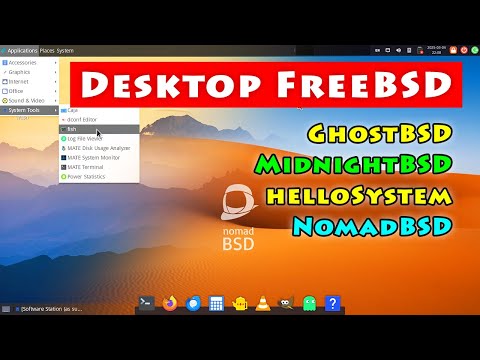
TierHive - Hourly VPS - NAT Native - /24 per customer - DE, UK, SG, CA, USA x4, FR x2, AU, PL, NL, JP
FREE tokens on sign up, try before you buy. | Static Hosting Free for life: https://tierhive.com/static-hosting/
@cservers
Congrats and thanks for adding Net and Open!
Please continue to post here to keep everyone informed.
Best wishes!
Tom
NetBSD 11.0 RC5
@linveo NetBSD 11.0 RC5 image is now available.
BTW, has anything changed on the network side? It looks like UDP gets completely blocked now - which breaks any wireguard VPN access.
@cmeerw
Probably I am missing something, but my Chromebook seems to be able talk udp with my Linveo Texas Ryzen NetBSD-current VPS:
On my Chromebook:
On the VPS (from my Chromebook):
What am I missing? Maybe @cmeerw is on a different subnet or in a different location than Texas?
Thanks, @linveo! Updating NetBSD source code and re-compiling right now!
That's interesting, it actually seems to work from my home IP address (which I hadn't tried before), but not from any of my other VPSes (or the @Hosteroid NetBSD server) - wireguard is set up as a VPN between my VPSes.
Success! Now running NetBSD 11.99.6 (GENERIC) #0: Thu Jun 18 00:22:21 UTC 2026 together with a new userland.
Thanks @linveo!
I tried NetBSD's sysupgrade command for maybe the first time, attempting to upgrade @cmeerw's wonderful 11.0 RC4 NetBSD image to NetBSD-current.
It seems to have worked. Maybe.
The recipe seems easy:
Install and update pkgin:
export PKG_PATH="https://cdn.netbsd.org/pub/pkgsrc/packages/NetBSD/$(uname -p)/11.0/All/"pkg_add -v pkginpkgin updateInstall sysupgrade:
pkgin install sysupgradeFor sysupgrade.conf, I added:
RELEASEDIR="https://nycdn.netbsd.org/pub/NetBSD-daily/HEAD/20260618092645Z/amd64/"KERNEL=GENERICWhat am I missing?
This is on a VPS that I am paying for, at Linveo. Thanks @linveo! Thanks NetBSD! Thanks @cmeerw!
I have added this RC5 to the available templates. Our upstream provider was blocking UDP even after the DDoS event last week for one of the blocks. They have removed it earlier this week.
linveo.com | Shared Hosting | KVM VPS | Dedicated Servers
Thanks, just did a quick test with the RC5 template, and it installs fine. Hopefully, we'll see the final 11.0 release shortly.
On the UDP issue, I am still seeing widespread blocking of incoming UDP packets:
So looks like it gets routed via globalsecurelayer.com (from most networks) which drops UDP? E.g., a traceroute from https://www.hosteroid.uk/LGv2-new/ shows:
Do you mind checking now? I had them adjust the networking above us at the GSL level.
linveo.com | Shared Hosting | KVM VPS | Dedicated Servers
Thanks so much, seems to be working fine again: all the wireguard tunnels to my other VPSes are up again.
Lighttpd seems to have been compiled successfully and seems to be running on one of my paid NetBSD-current Linveo VPSes. I have been wanting to try Lighttpd because @cmeerw mentioned it. Below seems to be the default pkgsrc compile configuration at the moment, version 1.4.83. Lighttpd seems to have released 1.4.84 on June 17.
People recently have mentioned phpBB, so I thought it might be fun to try compiling PHP and using Lighttpd run the phpBB HEAD out of Github. That also seems to have worked, at least up to serving the HTML installer page, which is where I am now.
When compiling the php-gd extension there were a lot of dependencies which also have to be compiled if they are not already installed, including Python, Rust, LLVM, cmake, plus quite a few more, which took quite awhile. Those wanting a fast compile and install might consider temporarily skipping php-gd.
Before too long I might again try the latest Vanilla. Or something else that is more simple, just for fun. Ideas?
If anyone interested in phpBB, Vanilla, or Lighttpd wants to try something together with me, please let me know.
Another NetBSD 11 RC has appeared: https://cdn.netbsd.org/pub/NetBSD/NetBSD-11.0_RC6/